Rival One for Excel
⚠️ Please note the ability to use the excel add in has an additional licensing cost. Contact Rival for details
Installation
Direct from the Microsoft Store
Inside of Excel
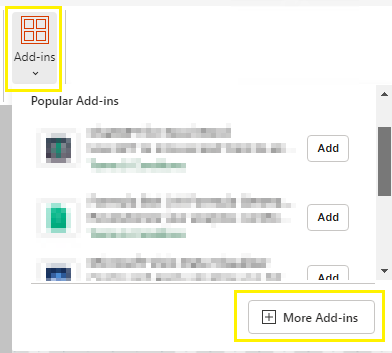
In Microsoft Excel, or Excel Online, look for the add-ins icon in the Home tab
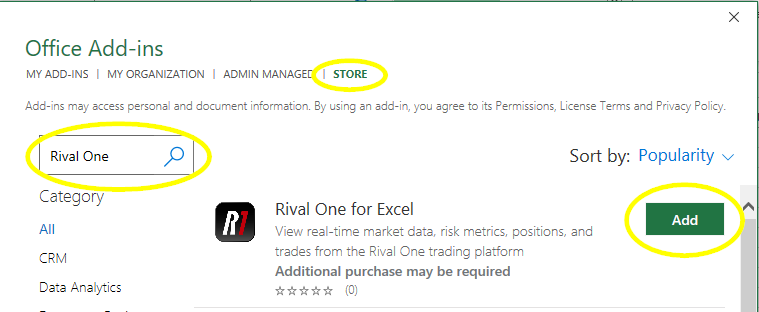
Select More Add-Ins, and on the Store search page search for Rival One
How to Login
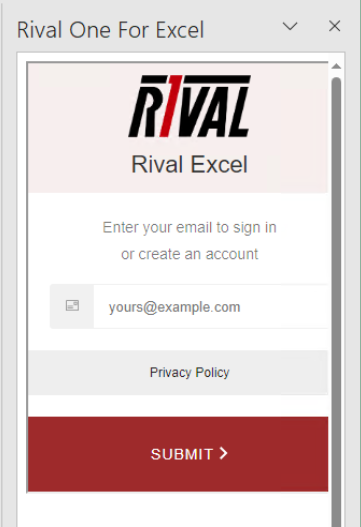
1. On task pane add, we authenticate using Auth0 with a previously setup an authorized email address.
2. You will receive an OTP email from tokens@rivalsystems.com.
Subscribing to Data
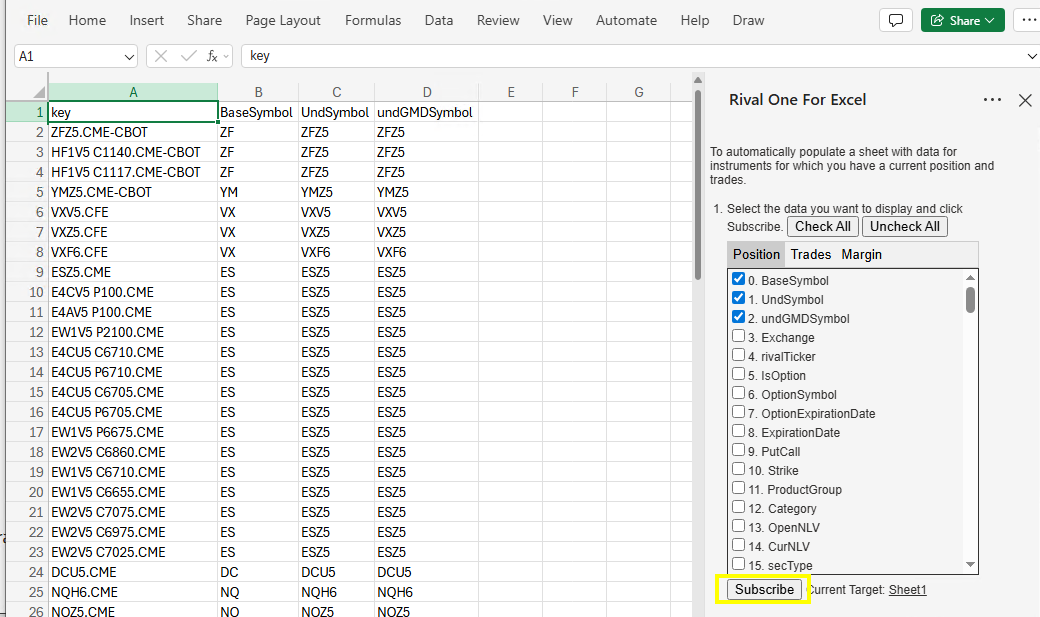
Populates a sheet with data for instruments for which you have a current position and trades.
1. Please note the function name is RIVAL.SUB
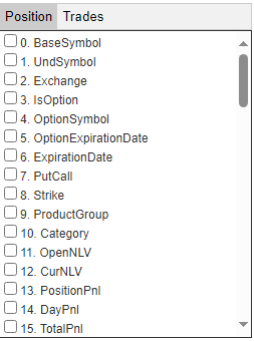
2.Select the data you want to display and click Subscribe.
3. To populate a specific cell with data for an instrument for which you have a current position:
Use the RIVAL.SUB formula with the instrument key and data field name.
Example:
=RIVAL.SUB("SIZ3.CME-COMEX", "TotalPnl")
4. To populate a specific cell with market data for an instrument where you don’t currently have a position:
Use the
RIVAL.SUBformula with the symbol as the key and one of the following data field names (“bid”, “ask”, “last”, “bqty”, “aqty”, “lqty”, “settle”, “prevsettle”, “open”, “high”, “low”, “close”).Example:
=RIVAL.SUB("SIZ3", "bid")